The Mac Mini That Builds Our Apps
The Mac Mini That Builds Our Apps
Since our inception as a company, our Apple builds ran on a 2019 MacBook Pro. It was a good machine, and it earned its keep — every iPhone version of Homeschool Grove went through it, and so did builds for clients, run by hand on the same machine. But over the last year, it started falling behind.
What is “CICD”?
A quick explanation first, because this post is about a machine most people never see. Every time we change our app’s code, a computer has to turn that code into an actual app — put the pieces together, check that it works, and package it up so it can be installed on a phone. That job is done by a computer called a build machine, and it runs automatically every time we save our work. This process is known as continuous integration/continuous development. To date, we’ve rented CICD computers (“runners”) from GitHub, paying by the minute.
Reasons to self-host
The old laptop’s problems piled up one at a time. First, its operating system stopped updating. Sequoia is the last version that machine will ever run, and that put a ceiling on Xcode, Apple’s software for building iPhone apps: an early version of Xcode 26 is as far as it goes. The next version, Xcode 27, only runs on Macs with Apple’s own newer chips, and Apple requires the newest iPhone tools for App Store uploads starting in April 2027. A machine that can’t run the tools Apple requires can’t do the job anymore.
Second, the newer test phones left it behind, including the test version of the iPhone Duo. When you can’t try your app on the devices your users actually carry, you’re left guessing how your app is going to look.
Third, the builds themselves got slow. Turning our app’s code into a finished iPhone app on an aging Intel chip meant long waits on every change — the kind of waiting that quietly eats a development day, a few minutes at a time.
Any one of those would have been a reason to upgrade eventually. But the reason that actually moved the decision — the one that paid for the machine — was the meter.
The meter that changed how we worked
Renting a Mac from GitHub by the minute costs far more than renting other kinds of computers, and the meter runs on every build. We never actually paid overages — but only because we changed how we worked to avoid them. We turned off automatic iPhone builds and deploys and made every one of them a manual trigger, which slowed us down, just to keep the meter down.
Automation is supposed to do the repetitive work so people don’t have to. Here we were, manually kicking off builds because the rented machine was too expensive to let run on its own.
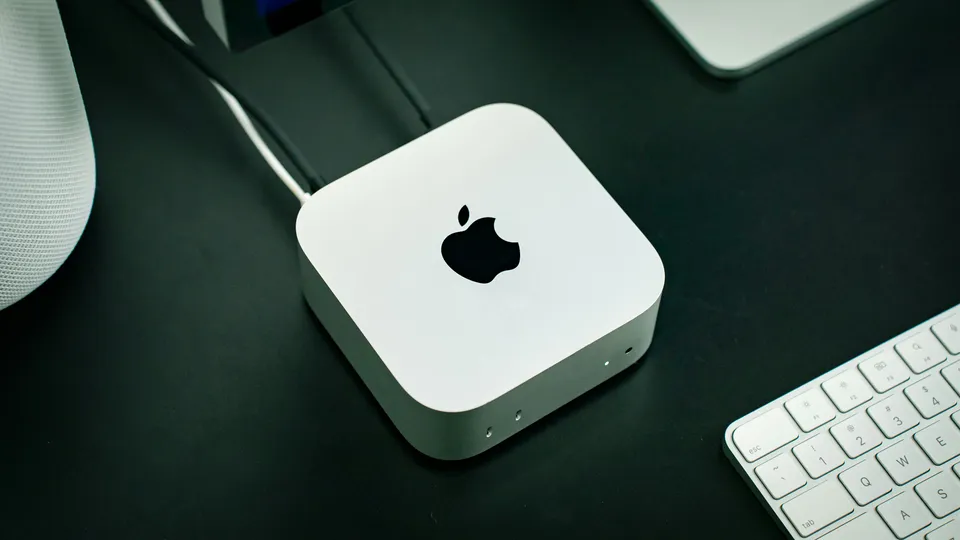
So instead of another laptop, we bought a Mac mini (Apple M4 chip, 16 GB RAM, 512 GB SSD). It sits on a desk, plugged in, awake, and it belongs to us. A mini fits this job: it is small, it stays out of sight, and it stays on.
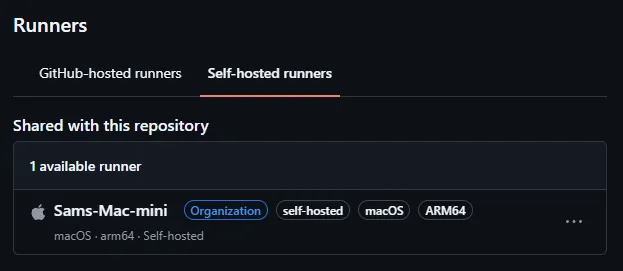
We set it up as the build machine for the whole company — “Sams-Mac-mini” — shared across everything we make. That matters, because it isn’t just Homeschool Grove’s build machine. It’s the machine for every app we build, now and next. Every iOS project in the company uses the same machine.
What changed
The manual trigger can go away. Automatic iPhone builds and deploys are back on, because the machine doing them is ours and the meter is gone. The same box that builds our apps also prepares them for the App Store — one machine we own, handling the whole job itself.
And if you have an app idea you’d like to see in the App Store — when we build it, it will run through this machine too.
Disclosure: This post includes AI-generated content